

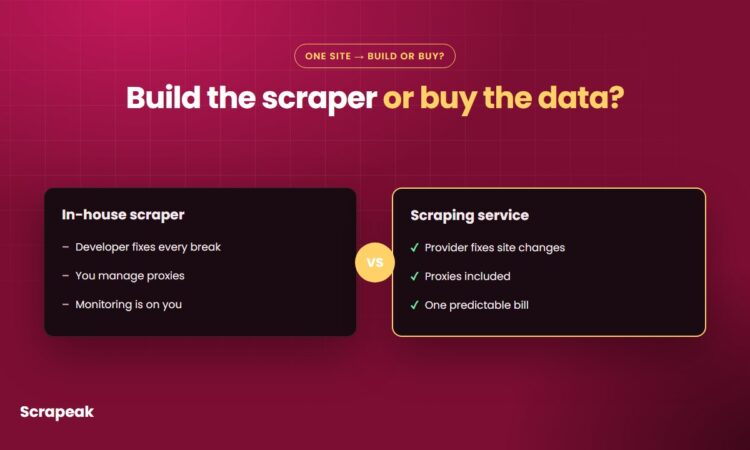
You need data from a website every week, and someone on your team says, “I can write a scraper for that in a day.” They’re probably right about the day. The question in any web scraping service vs in-house decision is what happens in month three, when the site changes its layout on a Friday night and your Monday report comes out empty.
We build and run scrapers for a living, so take our view with that in mind. Below is an honest cost breakdown, where each option wins, and a simple way to decide for your own project. Sometimes the answer is to build it yourself, and we’ll say when.
Web scraping service vs in-house: the short answer
Build in-house when scraping is part of your product, you already have engineers who enjoy this work, and the target sites are few and stable. Use a service when you mainly need the data, the sites fight bots or change often, or nobody on your team wants to be on call for a broken scraper.
Most teams fall in the second group and don’t realize it until the first rebuild.
What an in-house scraper really costs
The first version is the cheap part. Writing the code that loads a page, extracts the fields and saves a CSV is a few days of work for a decent developer. The running costs are what decide the bill.
Developer time is the biggest line. The U.S. Bureau of Labor Statistics (Occupational Outlook Handbook) puts the median annual wage for software developers at $133,080 (May 2024). Spread over a 2,080-hour work year, that’s about $64 an hour before benefits, payroll taxes and overhead. So a scraper that needs four hours of fixing a month quietly costs around $256 a month in salary alone, and that’s for one site.
Then come the line items people forget:
- Proxies. Sites that block bots need rotating IP addresses, billed by bandwidth or per IP. Blocked IPs get burned and have to be replaced.
- Anti-bot handling. CAPTCHAs, JavaScript challenges and browser fingerprinting mean running headless browsers, which use far more server resources than plain HTTP requests.
- Servers and scheduling. Something has to run the scraper every night, retry failures, and store the results.
- Monitoring. A scraper rarely crashes loudly. It returns 200 rows instead of 2,000, or a price field full of blanks, and nobody notices for a week. You need checks that catch that.
- Data cleaning. Deduplication, date formats, currency, addresses that come in four spellings. This work never ends.
None of these is expensive on its own. Together, they turn “a day of work” into a small permanent job.
What a scraping service costs
With a managed service you pay for the data, and the provider absorbs the code, proxies, servers and repairs. Pricing usually depends on how hard the site is to scrape, how much data you need and how often you need it.
At Scrapeak, for example, simple projects are usually delivered in two to three days, there are bulk discounts for multiple sites or scheduled runs, and we can sign an NDA. Our pricing page has the details. For sites we already cover, like Zillow or Google Maps, there’s a ready-made scraper you can test with 1,000 free credits and no credit card.
The trade-off is control. You don’t own the code, and you depend on the provider to fix things fast. Ask any vendor how they handle a site change and how quickly you’ll get data again.
Side-by-side comparison of scraping costs and effort
| In-house scraper | Scraping service | |
|---|---|---|
| Time to first data | Days to weeks, depending on the site | Usually days (2-3 for simple projects at Scrapeak) |
| Upfront cost | Developer time to build and test | Often a setup fee or nothing |
| Monthly cost | Proxies, servers and repair hours | One predictable bill |
| When the site changes | Your developer drops other work to fix it | The provider fixes it |
| Blocking and CAPTCHAs | You buy and manage proxies and browsers | Included |
| Data delivery | Whatever you build | CSV, JSON, API, S3, Google Drive and so on |
| Control over code | Full | Limited |
| Best for | Scraping as a core product skill | Teams that mainly need the data |
Where in-house scrapers break first
Layout changes come first. A site renames a CSS class or moves the price into a new element, and your selectors return nothing. Some sites run A/B tests, so the scraper works on half the pages and fails on the rest.
Blocking comes next. A scraper that ran fine for months starts getting 403 errors because the site added bot protection. Now you’re shopping for residential proxies and learning about browser fingerprints.
Pagination and infinite scroll cause quieter failures. The scraper stops at page 10 because the “next” button changed, and your dataset is suddenly 80 percent smaller without any error.
Then there’s the people problem. The developer who wrote the scraper changes teams, and nobody else understands it.
If you’d rather skip all of this, tell us which site and fields you need and we’ll quote a scraper we build and maintain for you.
How to decide for your project
Answer these four questions honestly:
- How many sites? One or two stable sites are a fine in-house project. Ten sites means ten things that can break on any given week.
- How often do you need fresh data? A one-time export is easy anywhere. Daily runs need scheduling, monitoring and someone who responds when a run fails.
- Does the site fight back? Open it in a private browser window and click around. If you hit CAPTCHAs or get rate limited by hand, a scraper will have a harder time.
- Who fixes it at 7 a.m.? If you can’t name a person, you have your answer.
Honestly, for a single small site you check once a month, a service is overkill. Write the script or copy the data by hand. Once the data feeds a report, a pricing system or a sales team every week, a broken scraper costs you more than the scraper ever did, and paying someone to keep it running makes sense.
There’s also a middle path. Some teams keep the extraction logic in-house and buy only the hard parts: proxies, browser rendering or a ready-made scraping API for one difficult site. If you’re new to the topic, our guide to what web scraping is explains the moving parts.
Not sure whether to build or buy? Send us the site and the fields you need. We’ll tell you honestly if it’s an easy in-house job, and if it isn’t, we’ll quote a scraper we build, run and maintain, delivered to CSV, Google Sheets, an API or your cloud bucket.
Get a quote for your scraper · Try it free with 1,000 credits
FAQ
Is it cheaper to build a web scraper yourself?
For one simple, stable site, usually yes. For several sites, daily runs or sites with bot protection, ongoing developer time, proxies and servers often cost more than a managed service.
How much maintenance does a web scraper need?
It depends on the site. Some run for months untouched, others break every few weeks after layout changes or new bot protection. Budget for repairs and monitoring from the start, not just the first build.
What does a web scraping service do that a scraper script doesn’t?
A service runs the scraper on a schedule, handles proxies and CAPTCHAs, watches for broken runs, fixes the code when the site changes, cleans the data and delivers it in your format.
Can I switch from an in-house scraper to a service later?
Yes. Share the site, fields and output format you use today, and a provider can rebuild the scraper to deliver the same columns, so your reports and imports keep working.
Do I own the data from a scraping service?
You receive the data and use it in your own systems. Check the provider’s terms for the code itself, and check the target site’s terms and your jurisdiction for how the data may be used.