

Someone on your team has been asked to “pull the program together” for a congress with a few thousand posters, and the deadline is Friday. The medical conference data is all there on the congress website, but it was built for attendees clicking through one session at a time, not for a team that wants to filter by topic, day and hall.
This guide covers what congresses publish, which fields are worth collecting, what goes wrong when you try to copy it by hand, and how a scraper turns the whole program into one spreadsheet that stays current until the doors close.
What a medical congress puts online
Most large congresses publish four layers of information, usually on different pages or even different platforms.
- The session program: session titles, type (plenary, symposium, oral, poster), date, start and end time, room or hall, track and chairs.
- Presentations inside each session: talk titles, presenting author, co-authors and their affiliations.
- Abstracts: the full text where the congress makes it public, plus an abstract number and sometimes a DOI or journal supplement reference.
- Posters and exhibits: poster board numbers, poster session times, and the exhibitor list with booth numbers.
Timing matters as much as the content. Programs often go live weeks ahead, abstracts later, and late-breaking work last. ASCO, for example, has released its regular abstracts on the Thursday before the Annual Meeting at 5:00 PM ET, with late-breaking abstracts published on the morning they are presented (you can see the structure on the ASCO abstracts and presentations site). A file you build on Monday is out of date by Thursday.
Why copy-paste and the congress app don’t give you a usable file
The congress app is great for one attendee planning one day. It almost never has an export button, and when it does, you get your personal agenda, not the full program.
Copy-paste breaks in quieter ways. Session pages load more items as you scroll, so you miss the bottom half. Author names and affiliations come out as one merged string. Abstracts sit behind a click per item, which at 3,000 posters is a week of someone’s life. Some congresses publish abstracts only as a PDF book, and pasting from a PDF scrambles columns and hyphenates words across lines.
Honestly, if you need 40 sessions from one track, do it by hand in an afternoon. Past a few hundred rows, or if you need the file to stay current, extraction by a scraper is cheaper than the hours you’d burn.
How to turn medical conference data into a spreadsheet, step by step
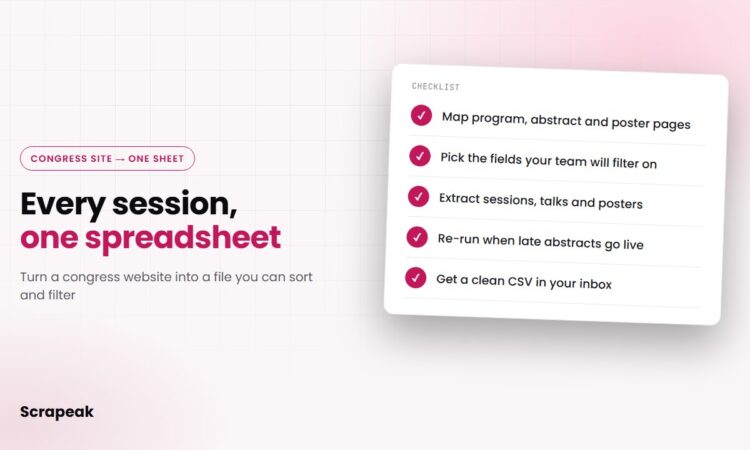
These are the steps a congress scraper goes through. You can follow them yourself if you have a developer on hand, or hand the list to us.
- Map where each layer lives. Open the program, a session page, an abstract and a poster listing, and note the URL pattern for each. Many congresses run on a conference platform with a predictable structure, such as session IDs in the URL and a separate abstract viewer. Check whether pages load data through a background API call; extracting that JSON is faster and more stable than parsing HTML.
- Decide the row. One row per presentation is the most useful shape for most teams, with session details repeated on each row. If you need authors in a separate table, link them by presentation ID instead of cramming them into one cell.
- Pick fields your team will actually filter on. Every extra field costs build time and cleaning. A booth team cares about hall, time and topic. A research team cares about abstract text and affiliations.
- Crawl the full program. The crawler walks every day and track, follows each session to its presentations and each presentation to its abstract, and handles pagination and “load more” buttons. It runs slowly and politely, so it doesn’t put load on the congress site.
- Parse PDFs where needed. If abstracts only exist as a PDF book, a PDF parser splits it into one record per abstract and matches each to its session by abstract number.
- Clean and deduplicate. Normalize dates and times to one time zone, split author strings into name and affiliation, and remove duplicates (the same poster often appears in a topic list and in a session list).
- Schedule re-runs and deliver. Run the scraper daily, or hourly in the final week, and mark what changed since the last run. Deliver the export as CSV to email or Google Drive, or as JSON to S3 or an API.
Have a congress coming up? Send us the congress name and the fields you need, and we’ll come back with a sample and a quote. Request a free sample
Fields worth extracting from a congress program
Here is a field set that covers most use cases. Start smaller if you can; the scraper can add fields later.
| Field | Example value | Why teams use it |
|---|---|---|
| session_title | Advances in Heart Failure Devices | Topic filtering |
| session_type | Poster, Oral, Symposium | Separate talks from posters |
| date, start_time, end_time | 2027-06-02, 08:00, 09:30 | Staff scheduling, booth coverage |
| room / hall | Hall B2 | Floor planning |
| presentation_title | Sample title text | Search by keyword |
| authors, affiliations | A. Sample, Example University | Grouping by institution or country |
| abstract_number, abstract_text | P-1042, full text | Literature tracking, research review |
| poster_board | B-217 | Finding posters on site |
| source_url | Link to the original page | Checking a record against the source |
The values above are made-up samples. Keep source_url in every export; when someone questions a row, a link to the original page settles it in seconds.
What breaks congress scrapers (and how we handle it)
A congress site is usually live for a few months and rebuilt every year, which makes scraping it a little different from scraping a stable directory.
JavaScript apps
Many programs render in the browser. We either call the same data endpoint the page uses or render the page in a headless browser, then extract from there.
Embargoes and staggered releases
Abstract text may show “embargoed” until a set time. The scraper keeps the placeholder, re-checks on schedule and fills the text when it appears, so you see the gap instead of a silent blank.
Logins
Some abstract viewers sit behind a member or attendee login. We only collect what is publicly available; if the text you need is behind a login, we’ll tell you before building anything.
Yearly redesigns
Last year’s scraper often won’t work on this year’s site. A research team that compiled 23,793 presentations from one conference’s archive across 2005 to 2026 did it with web scraping (see the study on arXiv), and multi-year collections like that mean adapting to whatever the site looked like each year. For a congress you follow every year, we keep the scraper maintained and fix it when the site changes.
Program changes
Rooms move and talks get withdrawn in the last week. Each run is compared with the previous one, and changed rows are flagged in the delivery.
Build it in-house or have it built
If you have a developer with free time and only need one congress once, a Python script with a scraping library can do it. Budget for the parts that take longest: PDF abstracts, author splitting and the last-week re-runs.
If you need several congresses a year, or the file has to be right the morning your team flies out, it’s usually cheaper to hand it off. Scrapeak builds and maintains the scraper for the congress you name, runs it on your schedule (daily, hourly or custom) and delivers CSV, JSON, JSONLines or XML by email, Google Drive, Dropbox, AWS S3, FTP or API. Simple projects are delivered in 2 to 3 days, and an NDA is available. Pricing depends on the site’s complexity, volume and how often it runs; see Scrapeak pricing for how that works, or read what web scraping is if you’re new to it.
Who uses a congress program dataset
Medical device and healthcare sales and marketing teams use it to plan booth staffing around the sessions that match their products. Event and communications teams use it to build a briefing of what’s on each day. Research and analytics teams use abstract text and affiliations to track which topics and institutions show up year after year, and recruiters use it to see which institutions are active in a field.
Privacy and GDPR for European congresses
Program data is public, but author names are still personal data. For European congresses (or European authors), GDPR applies to how you store and use them, so keep only the fields you need and have a lawful basis for any outreach. Our GDPR page explains how we handle data. Patient data is never involved in this kind of project, and none of this is legal advice.
FAQ
Is it legal to scrape medical conference abstracts?
It depends on the congress website’s terms of use and on where you and the data are. Public program pages are generally treated differently from member-only areas, and we only collect what is publicly visible without a login. For anything you plan to republish, check the congress terms and get legal advice for your situation.
When do medical congresses publish their abstracts?
It varies by congress. Many post the session program weeks ahead and release regular abstracts a few days before the meeting, while late-breaking abstracts often appear on the day they are presented. ASCO, for example, has released regular abstracts on the Thursday before its Annual Meeting at 5:00 PM ET.
Can a scraper keep the spreadsheet updated when the program changes?
Yes. The scraper can run on a schedule (hourly, daily or weekly) and flag rows that were added, changed or removed since the last run, so late-breaking abstracts and room changes show up without anyone re-checking the site.
What file format will I get?
Usually CSV, which opens straight in Excel or Google Sheets. JSON, JSONLines and XML are also available, delivered by email, Google Drive, Dropbox, AWS S3, FTP or API.
How long does it take to build a congress scraper?
Simple projects are delivered in 2 to 3 days. A congress with a login-free program and clean pages sits at the fast end; one that spreads abstracts across PDFs and a JavaScript app takes longer.
Get your congress program as one clean spreadsheet. Tell us which congress and which fields you need. We’ll send a free sample so you can check the format before you commit. Request your free sample