

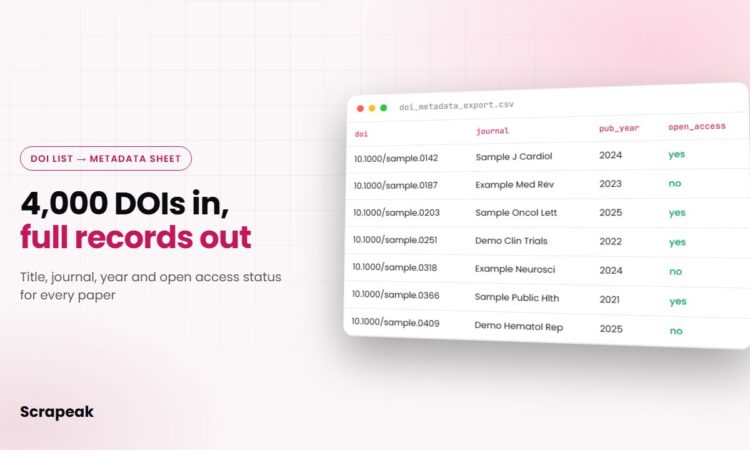
You have a spreadsheet with 4,000 DOIs in column A, and someone wants the title, journal, year, authors and abstract next to each one by Friday. A DOI scraper does that job: it looks up every identifier in the public registries, visits the publisher page when the registry record is thin, and gives you back one clean row per paper.
For a few dozen papers you don’t need a scraper. Paste the DOIs into Zotero’s “Add Item by Identifier” box and export the library as CSV. Once the list runs into the hundreds, or you need affiliations and abstracts that the registries don’t carry, automating it is faster and far less error-prone.
What a DOI scraper returns for each paper
Here is the field set most teams end up asking for, and where each value usually comes from. The source column matters because no single place has everything.
| Field | Usual source | Notes |
|---|---|---|
| doi, type, publisher | Crossref or DataCite | Almost always present |
| title, container_title (journal) | Crossref or DataCite | Reliable |
| volume, issue, pages, published_date | Crossref | Several date fields; pick one rule |
| authors, orcid | Crossref, publisher page | ORCID only when the author or publisher added it |
| affiliations | Publisher page, sometimes Crossref | Often missing from registry records |
| abstract | Crossref, PubMed, publisher page | Only where it is openly published |
| keywords, mesh_terms | Publisher page, PubMed | MeSH for biomedical papers only |
| references, cited_by_count | Crossref | References only if the publisher deposited them |
| license, open_access_status, pdf_url | Crossref, Unpaywall, landing page | Useful for library and funder reporting |
| landing_url, source_per_field | doi.org redirect, scraper log | Tells you where each value came from |
One row per DOI works for most people. If you want to count papers per institution, ask for authors as a second table linked by DOI, because cramming twelve authors and their affiliations into one cell makes the file hard to filter.
Where DOI metadata lives online
A DOI is a pointer. The data behind it sits in a handful of places, and a good scraper checks them in a sensible order.
Crossref holds metadata for most journal articles, books and conference proceedings. Its REST API is open, and Crossref says anyone can use it with no signup. If you add your email with a mailto parameter you get the “polite” pool, which currently allows 10 DOI lookups per second with up to 3 at a time, against 5 per second and 1 at a time without it (see Crossref’s access and rate limit page).
DataCite registers DOIs for datasets, software and many repository items such as theses. If your list mixes papers and datasets, part of it will come back empty from Crossref and needs DataCite instead.
PubMed covers biomedical journals and adds MeSH terms and abstracts that are often absent from Crossref. NCBI’s E-utilities API allows 3 requests per second without a key and 10 with one.
The publisher landing page is where doi.org redirects you. Most publishers put machine-readable tags in the page head, such as citation_title, citation_author, citation_author_institution and citation_pdf_url. That is usually the best place to extract affiliations.
Unpaywall rounds things out: give it a DOI and it returns the open access status and a legal PDF link when one exists.
How to build a DOI scraper, step by step
These are the steps we follow on a DOI metadata project. If you have a developer, they can follow the same list.
- Clean the list first. Strip prefixes like “https://doi.org/” and “doi:”, trailing periods and spaces, then lowercase and deduplicate. DOIs copied out of PDFs often carry a hyphen from a line break, and those fail silently later.
- Find out who registered each DOI. Crossref’s API can tell you which registration agency a DOI belongs to, so you send dataset DOIs to DataCite instead of waiting on empty Crossref responses.
- Query the registry APIs. Use the polite pool, stay under the published limits, and back off when you get an HTTP 429. At 10 lookups a second, a 4,000-DOI list takes under ten minutes.
- Add PubMed for biomedical papers. Match each DOI to its PubMed record, then fetch the abstract and MeSH terms in batches.
- Visit landing pages only for gaps. Follow the doi.org redirect, read the
citation_*tags first and the page HTML second. Some publishers render pages with JavaScript, which needs a headless browser. If the content sits behind a login or paywall, the scraper records it as unavailable and moves on. - Merge with clear rules. Decide which source wins for each field (registry for dates, landing page for affiliations, for example) and keep a column that records where every value came from.
- Export and schedule. Deliver the dataset as CSV, Excel or JSON. If new DOIs keep arriving in a shared sheet, a weekly run picks them up and flags anything that failed to resolve.
Sitting on a long DOI list? Send it to us with the fields you need. We’ll run a sample and come back with a quote. Request a free sample
Where registry data falls short, and how scraping fills it
Registry records are only as complete as what each publisher deposited, so expect gaps. These are the ones that show up on almost every list.
Abstracts are the most common gap, and many records have none. When Crossref does have one, it arrives as JATS XML with tags like <jats:p> that need stripping before the text is readable. Crossref also notes that some abstracts may be under the publisher’s or author’s copyright, which matters if you plan to republish them.
Affiliations are frequently missing too, or stored as one free-text string such as “Dept of Medicine, Example University, City, Country”. The landing page usually lists them per author, and parsing them out of the page tags is where most of the extraction work goes.
Names and dates disagree between sources: “Smith, J.” in one, “John Smith” in another. Crossref also stores print, online and issue dates separately. Pick one rule per field and apply it to every row, or your year column will disagree with itself.
Some DOIs won’t resolve at all because of typos, DOIs announced but not yet registered, or items that were moved. Drop them quietly and you lose rows without noticing, so a good export keeps them in a separate tab with the reason.
Publisher sites bring their own trouble: hundreds of layouts, rate limits, bot protection and the occasional redesign. We crawl slowly, cache what we fetch, and monitor the scraper so a layout change gets fixed before your next delivery.
Who needs DOI metadata in bulk
Systematic review teams use it to deduplicate screening lists from several databases. Libraries and funders check open access status and output across thousands of papers. Publishers audit their own deposits, and healthcare data teams pull biomedical literature by topic into a dataset their analysts can query.
A note on Europe: author names and affiliations are personal data under GDPR when they relate to people in the EU. We only collect what is publicly published, and you should check your lawful basis for how you use it. Patient data is never part of this work.
Build the DOI scraper yourself or hand it off?
If you only need registry fields, a developer can write a Python script against the Crossref API in an afternoon. We’d do the same. The work grows once you need affiliations, abstracts and PDF links from publisher pages, because each publisher is a separate small scraper that breaks on its own schedule. We compared the real costs of both routes in web scraping service vs in-house.
With Scrapeak you send the list (a CSV, a Google Sheet, or a folder of reference lists), pick the fields, and we build the scraper and return a sample. The full file goes to email, Google Drive, S3 or an API in CSV, Excel-ready CSV, JSON or XML, once or on a schedule. Simple projects are delivered in 2-3 days, an NDA is available, and pricing depends on volume and how often you need updates. If your list comes from a congress program, our guide to medical conference data covers that side.
DOI scraper FAQ
What is a DOI scraper?
It is a tool that takes a list of DOIs and returns metadata for each one, such as title, authors, journal, date and abstract. It pulls from registry APIs like Crossref and DataCite and, when fields are missing, from the publisher’s landing page. Output is usually CSV, Excel or JSON.
Can I get the abstract from a DOI?
Often, but not always. Crossref only has an abstract when the publisher deposited one, and PubMed covers most biomedical journals. For the rest, the landing page may show it openly. If it sits behind a paywall, the scraper leaves it out.
Is the Crossref API free to use?
Yes. Crossref says anyone can use the REST API without signing up. Adding your email with the mailto parameter puts you in the polite pool, which allows 10 DOI lookups per second.
How do I get metadata for a list of DOIs into Excel?
For a short list, import the DOIs into Zotero and export to CSV. For hundreds or thousands, run a script against the Crossref API or have a scraper deliver the finished Excel or CSV file, with gaps filled from PubMed and publisher pages.
Is it legal to scrape publisher websites for metadata?
It depends on each site’s terms and your jurisdiction, so get legal advice for your use case. We only collect openly available pages, keep request rates low and never bypass logins or paywalls.
Turn your DOI list into a clean dataset. Send us the list, or the first 100 rows of it, and tell us which fields you need. You’ll get a sample file and a quote. Get your free sample