
If you have ever tried to scrape Zillow with Python, you probably got a few pages of HTML, then a wall of 403 errors and CAPTCHAs. Zillow retired its public listings API years ago, and its website is built to stop bots. This guide shows a setup that keeps working: you will learn how to scrape Zillow data with Python using a scraping API that handles blocking for you, and you will finish with three working scripts:
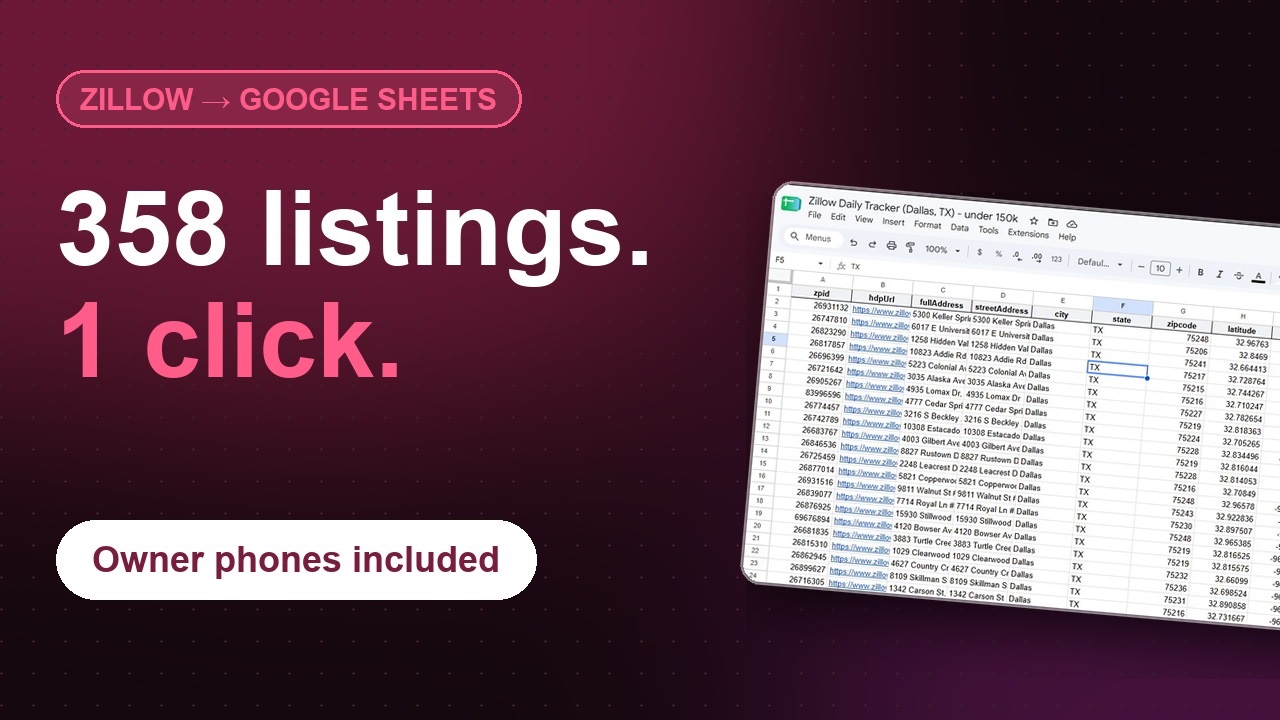
- A script that turns any Zillow search (a city, ZIP code or drawn map area) into a clean CSV file
- A property lookup that returns price history, tax history, Zestimate and listing agent details for any address
- A rental deal finder that estimates rent from nearby rental listings and ranks every home for sale by gross yield
All examples use the Scrapeak Zillow Scraper API and run on the free plan. You only need basic Python.
What data can you scrape from Zillow?
Zillow data comes from two kinds of pages, and they contain different amounts of information. Knowing the difference saves you credits:
- Search results (about 40 homes per page): ZPID, address, price, beds, baths, square footage, status (for sale, pending, sold, for rent), days on Zillow, coordinates and the listing URL. This is enough for market overviews, rent analysis and lead lists.
- Property details (one home per request): everything above plus price history, tax history, year built, lot size, schools, comparable homes, the listing agent’s name, license number and brokerage, and the Zestimate and Rent Zestimate when Zillow shows them.
A good rule: scrape search results first, filter them, and request full details only for the homes you actually care about.
Is it legal to scrape Zillow?
Scraping publicly available data is legal in the US when you follow the rules. Collect only public data, never log in to scrape, and keep your request rate reasonable.
Why requests and BeautifulSoup stop working on Zillow
Most tutorials send requests.get("https://www.zillow.com/...") and parse the HTML with BeautifulSoup. The first few requests usually work. Then Zillow’s bot protection kicks in: you get HTTP 403 responses or a “press and hold” CAPTCHA page instead of listings, and your IP stays flagged for a while. Even when pages load, the useful data sits in a large JSON blob inside the page whose structure Zillow changes regularly, so parsers break without warning.
Keeping a DIY Zillow scraper alive means paying for residential proxies, running headless browsers and fixing parsers every few weeks. A scraping API does that maintenance for you: you send a ZPID or a Zillow search URL and get structured JSON back. If the API cannot get the data, the request fails and you are not charged for it.
What you need
- Python 3.8 or newer
- The
requestsandpandaslibraries:pip install requests pandas - A Scrapeak API key (the free Starter plan includes 1,000 credits, no credit card required)
Step 1: Get your API key and set up a reliable client
- Create a free Scrapeak account.
- Choose any plan, including the free Starter plan.
- Open the settings page in your dashboard and copy your API key.
Store the key in an environment variable or a config file that is not committed to Git. The helper below is used by every example in this guide. It does three things a quick script usually forgets: it stays under your plan’s rate limit, it retries temporary errors with a growing delay, and it raises a clear error when a request fails.
import time
import requests

API_KEY = "YOUR-API-KEY"  # better: os.environ["SCRAPEAK_API_KEY"]
BASE_URL = "https://app.scrapeak.com/v1/scrapers/zillow"
REQUESTS_PER_SECOND = 1  # set this to your plan's rate limit

_last_call = 0.0


def call(endpoint, retries=3, **params):
    """Call a Scrapeak Zillow endpoint and return the 'data' field."""
    global _last_call
    params["api_key"] = API_KEY
    for attempt in range(1, retries + 1):
        wait = 1 / REQUESTS_PER_SECOND - (time.time() - _last_call)
        if wait > 0:
            time.sleep(wait)
        _last_call = time.time()
        response = requests.get(f"{BASE_URL}/{endpoint}", params=params, timeout=120)
        if response.status_code == 429 or response.status_code >= 500:
            time.sleep(2 ** attempt)  # temporary problem: wait, then retry
            continue
        response.raise_for_status()
        body = response.json()
        if not body.get("is_success"):
            raise RuntimeError(body.get("message", "Request failed"))
        return body["data"]
    raise RuntimeError(f"{endpoint} failed after {retries} attempts")
Every response also contains an info object with used_credits and remaining_credits, which is handy if you want to log spending or stop a long job before your balance runs out.
Step 2: Find a property’s ZPID from its address
What is a ZPID?
A ZPID (Zillow Property ID) is the unique number Zillow gives every property, whether or not it is for sale. You can see it at the end of any listing URL, for example .../26914709_zpid/. Because addresses are written in many ways (“St” vs “Street”, unit numbers, missing ZIP codes), the ZPID is the reliable key for matching and storing properties.
If you only have an address, use the zpidByAddress endpoint. One thing to know: it returns similar addresses, not only exact ones. In our tests, a search for “3013 N Labarre Rd” also returned 3012, 3009 and 3017 on the same street, and some searches returned only neighboring streets. Never take the first result blindly. The helper below accepts a result only when its URL matches the address you asked for:
import re


def find_zpid(street, city, state, zipcode=None):
    """Return the ZPID for an exact address match, or None."""
    params = {"street": street, "city": city, "state": state}
    if zipcode:
        params["zipcode"] = zipcode
    slug = re.sub(r"[^a-z0-9]+", "-", f"{street} {city} {state}".lower()).strip("-")
    for match in call("zpidByAddress", **params):
        if f"/{slug}" in match["url"].lower():
            return match["zpid"]
    return None


print(find_zpid("3013 N Labarre Rd", "Metairie", "LA", "70002"))  # 103920781
If you get None, check how Zillow writes the street (for example “Rd” instead of “Road”, or “N” instead of “North”) and try again.
Step 3: Scrape property details
The property endpoint returns hundreds of data points for one home. Many of them are empty depending on the home’s status, so always use .get() instead of square brackets. Here is what we saw when testing on real listings:
- Homes for sale have a list price and agent details, but the Zestimate and Rent Zestimate were often empty.
- Sold or off-market homes usually have a Zestimate and Rent Zestimate, but
pricecan be 0 and there is no agent. - HOA fee and property tax rate are only filled in when the listing includes them.
The example below prints the most useful fields and handles all of these cases:
home = call("property", zpid=26914709)  # use any ZPID

print("Address:", home.get("streetAddress"), home.get("city"), home.get("state"))
print("Status:", home.get("homeStatus"))
print("Price:", home.get("price"))
print("Zestimate:", home.get("zestimate"))
print("Rent Zestimate:", home.get("rentZestimate"))
print("Beds/Baths:", home.get("bedrooms"), "/", home.get("bathrooms"))
print("Living area (sqft):", home.get("livingArea"))
print("Year built:", home.get("yearBuilt"))
print("Days on Zillow:", home.get("daysOnZillow"))

agent = home.get("attributionInfo") or {}
print("Agent:", agent.get("agentName"), "| License:", agent.get("agentLicenseNumber"))
print("Broker:", agent.get("brokerName"), "|", agent.get("brokerPhoneNumber"))

for event in (home.get("priceHistory") or [])[:5]:
    print(event.get("date"), event.get("event"), event.get("price"))
The price history is often the most valuable part. It shows every listing, price cut, sale and rental event with dates, so you can see how long a home has been trying to sell and how much the price has dropped. Repeated cuts are a strong sign of a motivated seller. Other useful fields include taxHistory, schools, comps and latitude/longitude.
Step 4: Scrape Zillow search results
To collect many listings at once, give the listing endpoint a Zillow search URL. Each page returns about 40 homes, which makes this the cheapest way to build a dataset.
Get the right search URL
- Go to zillow.com and search for a city, ZIP code or neighborhood.
- Apply your filters on Zillow (price, beds, home type, for sale, for rent or sold). Filtering here is free, and every home you filter out is one less request.
- Zillow searches the area visible on the map, so zoom until the map covers exactly the area you want.
- Move the map slightly so the URL updates, then copy it from the address bar. It must contain the
searchQueryStateparameter.
Loop through all result pages
The page number lives inside searchQueryState, which is URL-encoded JSON. The helper below edits it safely, and the loop stops as soon as a page brings no new homes. Results are de-duplicated by ZPID, because featured listings can appear on more than one page.
import json
from urllib.parse import urlparse, parse_qs, urlencode, urlunparse


def update_search_state(search_url, **changes):
    """Return a copy of a Zillow search URL with searchQueryState changed."""
    parts = urlparse(search_url)
    query = parse_qs(parts.query)
    state = json.loads(query["searchQueryState"][0])
    if "page" in changes:
        state["pagination"] = {"currentPage": changes["page"]}
    if "price" in changes:
        state.setdefault("filterState", {})["price"] = changes["price"]
    query["searchQueryState"] = [json.dumps(state, separators=(",", ":"))]
    return urlunparse(parts._replace(query=urlencode(query, doseq=True)))


def scrape_search(search_url, max_pages=25):
    homes, seen = [], set()
    for page in range(1, max_pages + 1):
        data = call("listing", url=update_search_state(search_url, page=page))
        results = data["cat1"]["searchResults"]["listResults"]
        new = [h for h in results if h["zpid"] not in seen]
        if not new:
            break
        seen.update(h["zpid"] for h in new)
        homes.extend(new)
        print(f"Page {page}: {len(new)} new homes")
    return homes


SEARCH_URL = "PASTE-YOUR-ZILLOW-SEARCH-URL-HERE"
homes = scrape_search(SEARCH_URL)
print(len(homes), "homes scraped")
In our test on Bastrop, Texas (homes for sale with 3+ bedrooms), this returned 434 homes from 11 pages in under a minute. If you scrape rentals, note that apartment communities appear as a single result with a units list (for example “1 bed from $1,518”) and no square footage, while single-family rentals have the usual price, beds and area fields.
Step 5: Export Zillow data to CSV
Keep the columns you need and save them with pandas. Adding a scrape date makes it easy to compare files from different days later:
from datetime import date
import pandas as pd

rows = []
for h in homes:
    location = h.get("latLong") or {}
    rows.append({
        "scraped_on": date.today().isoformat(),
        "zpid": h.get("zpid"),
        "address": h.get("address"),
        "city": h.get("addressCity"),
        "state": h.get("addressState"),
        "zipcode": h.get("addressZipcode"),
        "price": h.get("unformattedPrice"),
        "beds": h.get("beds"),
        "baths": h.get("baths"),
        "sqft": h.get("area"),
        "status": h.get("statusType"),
        "latitude": location.get("latitude"),
        "longitude": location.get("longitude"),
        "url": h.get("detailUrl"),
    })

df = pd.DataFrame(rows)
df.to_csv("zillow_listings.csv", index=False)

# Market snapshot: drop placeholder prices (auctions are often listed at $1)
market = df[df["price"] >= 25000].copy()
market["price_per_sqft"] = (market["price"] / market["sqft"]).round(0)
print(market[["price", "sqft", "price_per_sqft"]].describe())
The snapshot gives you median price, typical home size and price per square foot for the area you searched. The filter matters: some listings, often auctions, show a placeholder price of $1, and a few of those are enough to distort averages.
Step 6: Scrape more than 1,000 Zillow listings
Zillow shows at most about 1,000 results for one search, no matter how many pages exist. Large cities easily have more homes than that, so a single search silently misses listings. The fix is price chunking: split the search into price ranges that each stay under the limit, scrape each range, and merge the results. The priceChunks endpoint calculates those ranges for you as a background task:
TASK_URL = "https://app.scrapeak.com/api/task"


def get_price_chunks(search_url):
    task_id = call("priceChunks", url=search_url)["task_id"]
    params = {"api_key": API_KEY, "task_id": task_id}
    while True:
        status = requests.get(f"{TASK_URL}/status", params=params, timeout=60).json()
        if status["data"]["is_completed"]:
            break
        time.sleep(10)
    result = requests.get(f"{TASK_URL}/result", params=params, timeout=60).json()
    return result["data"]["result"]["chunks"]


all_homes = {}
for chunk in get_price_chunks(SEARCH_URL):
    price = {"min": chunk["chunkMinPrice"], "max": chunk["chunkMaxPrice"]}
    print(f"Scraping ${price['min']:,} to ${price['max']:,}")
    chunk_url = update_search_state(SEARCH_URL, price=price)
    for h in scrape_search(chunk_url):
        all_homes[h["zpid"]] = h

print(len(all_homes), "unique homes scraped")
A ready-to-run version of this script is also available in our Scripts Library on GitHub.
Practical example: find rental investment deals
Raw data becomes useful when it answers a question. A common one for investors: which homes for sale in this area would rent for the most relative to their price?
The obvious approach is to pull the Rent Zestimate for every home. In our tests that did not work well: Zillow often leaves the Rent Zestimate empty for homes that are currently for sale, and it costs one request per home. A better method is the one appraisers use: rental comps. You scrape the homes currently for rent in the same area, calculate the median rent per square foot for each bedroom count, and apply it to every home for sale. That takes only a handful of search requests, even for a whole town.
You need two search URLs for the same map area: the for-sale search from Step 4, and the same area with “For Rent” selected on Zillow.
from statistics import median

FOR_SALE_URL = SEARCH_URL  # your for-sale search from Step 4
FOR_RENT_URL = "PASTE-THE-SAME-AREA-WITH-FOR-RENT-SELECTED"

for_sale = scrape_search(FOR_SALE_URL)
for_rent = scrape_search(FOR_RENT_URL)

# 1. Median rent per square foot for each bedroom count
rent_per_sqft = {}
for h in for_rent:
    rent, sqft, beds = h.get("unformattedPrice"), h.get("area"), h.get("beds")
    if rent and sqft and beds:  # apartment communities have no sqft and are skipped
        rent_per_sqft.setdefault(beds, []).append(rent / sqft)
comps = {beds: (median(v), len(v)) for beds, v in rent_per_sqft.items() if len(v) >= 5}

# 2. Estimated rent and gross yield for every home for sale
deals = []
for h in for_sale:
    price, sqft, beds = h.get("unformattedPrice"), h.get("area"), h.get("beds")
    if not price or price < 25000 or not sqft or beds not in comps:
        continue  # skips $1 placeholders, land and homes without enough rental comps
    rate, comp_count = comps[beds]
    est_rent = round(rate * sqft)
    deals.append({
        "zpid": h["zpid"],
        "address": h.get("address"),
        "price": price,
        "beds": beds,
        "sqft": sqft,
        "est_rent": est_rent,
        "rental_comps": comp_count,
        "gross_yield_pct": round(est_rent * 12 / price * 100, 2),
        "meets_1pct_rule": est_rent >= price * 0.01,
        "url": h.get("detailUrl"),
    })

deals.sort(key=lambda d: d["gross_yield_pct"], reverse=True)
pd.DataFrame(deals).to_csv("zillow_rental_deals.csv", index=False)
for d in deals[:10]:
    print(f"{d['gross_yield_pct']:5.1f}%  ${d['price']:>9,}  est. ${d['est_rent']:,}/mo  {d['address']}")
Here is what this produced when we ran it on Bastrop, Texas: 434 homes for sale and 76 rental listings, collected with 15 search requests (150 credits). 400 of the homes for sale had enough rental comps to get an estimate, and 6 of them met the popular “1% rule” (monthly rent of at least 1% of the price). The script only uses bedroom counts with at least five rental comps, so thin data does not produce misleading estimates.
Treat the output as a shortlist, not a verdict:
- Gross yield is not profit. It ignores vacancy, repairs, insurance, HOA fees and property taxes. Calculate net yield before you make an offer.
- Rent does not scale perfectly with size. In Bastrop, the median rent was about $1.95 per square foot for 1-bedroom rentals but only $1.17 for 4-bedroom homes. Grouping by bedroom count handles most of this, but within a group the estimate still runs high for unusually large homes and low for small ones, so check the actual rental comps for your top picks.
- Look up the details of your top 10. Call the
propertyendpoint from Step 3 for each shortlisted ZPID to check the price history, year built and listing description. That is 10 more requests, not hundreds.
Tips that save time and credits
- Save the raw JSON. Write each response to disk, for example
raw/{zpid}.json. If you later need a field you did not extract, you can parse it again without paying for another request. - Filter on Zillow, not in Python. Price, beds and home type filters in the search URL cost nothing. Filtering after scraping means you already paid for homes you throw away.
- Use the ZPID as your primary key. Addresses change format between sources; ZPIDs do not. One exception: apartment communities in rental searches get a coordinate-based ID such as
30.11--97.36instead of a real ZPID. - Clean prices before you analyze them. Drop placeholder prices like $1, and remember that sold homes can show a price of 0 in property details.
- Track changes over time. Run the search scraper on a schedule (daily or weekly) and compare prices by ZPID to spot price cuts, new listings and homes that went pending.
- Check data freshness. Zillow listings come from MLS feeds and agents. Status and price can lag the real market by a day or two, so confirm details with the listing agent before making decisions.
How much does it cost to scrape Zillow?
Each successful request costs 10 credits, and failed requests are free. Here is what the examples in this guide cost in practice:
- 1,000 listings from search results: about 25 requests, or 250 credits
- Full details for 100 homes: 100 requests, or 1,000 credits
- Rental deal finder for a whole town (our Bastrop, TX test: 434 homes for sale and 76 rentals): 15 requests, or 150 credits
The free Starter plan (1,000 credits) covers testing every script here. Paid plans start at $99/month for 500,000 credits, which is about 50,000 requests. See all plans on the pricing page.
Frequently asked questions
Does Zillow have a public API?
Not for listing data. Zillow shut down its public listings APIs, and its current data feeds are only available to approved partners such as MLS members and brokerages. Developers who need listings, Zestimates or agent data usually use a Zillow scraper API instead.
How accurate is the Zestimate?
It depends on the home. Zillow publishes its own accuracy figures, and Zestimates are generally more accurate for homes with recent sales nearby and detailed listing data. Use them to compare and screen properties, not as an appraisal. Also note that the Zestimate is not available for every home: in our tests it was often missing for homes currently for sale.
Can I scrape Zillow agent contact information?
Yes. The property endpoint returns the listing agent’s name and license number, plus the brokerage name and phone number when Zillow shows them on the listing.
Can I scrape Zillow rentals and sold homes?
Yes. Choose “For Rent” or “Sold” on Zillow before copying the search URL, and the listing endpoint returns those results. Sold homes are useful for building your own comps.
Do I have to use Python?
No. The API works over plain HTTPS, so any language that can send a GET request works, including JavaScript, PHP, Ruby and Go. No-code tools that can call a URL work too. Python is simply the most common choice for data analysis.
How fast can I scrape?
The rate limit depends on your plan, from 1 request per second on the free plan to higher limits on paid and custom plans. Set REQUESTS_PER_SECOND in the client from Step 1 to match your plan.
Start scraping Zillow today
You now have a complete workflow: a reliable API client, ZPID lookup, full property details, search scraping with pagination, CSV export, price chunking for large markets and a rental deal finder. Create a free Scrapeak account to get 1,000 credits and run the scripts on your own market, or read the full Zillow Scraper API documentation. If you would rather receive ready-made datasets on a schedule, request a quote and our team will set it up for you.