

Someone on your team asked for a budget line for “the scraping thing,” and you have no idea whether to write $50 or $5,000. Both can be right. Web scraping cost depends far less on the tool than on four things: how hard the site is, how many rows you need, how often you need them, and who fixes the scraper when the site changes.
We price scraping projects for a living, so this guide uses real numbers wherever we have them: our own published plan prices, the credit cost of each ready-made scraper, and public wage data. Where a price depends on your project, we say so and show you what moves it.
If you’d rather test with real data first, you can try it free with 1,000 credits, no credit card needed.
Web scraping cost at a glance
There are four ways to pay for scraped data, and each one bills you for something different. A script you write yourself costs developer hours. A scraping API costs a fee per request. A managed service costs a project or monthly price that includes the repairs.
| Option | What you pay for | What the bill looks like | Best for |
|---|---|---|---|
| DIY script | Your developer’s time, servers, proxies | Little upfront, then hours every month for fixes | One small, stable site you know well |
| Freelancer | Hours or a fixed fee to build the scraper | One-off build cost; repairs billed again later | A one-time export with a clear end date |
| Ready-made scraping API | Credits per request | $0 to start, then a monthly plan (ours run $99 to $449) | Sites the API already covers, like Zillow or Google Maps |
| Managed custom scraper | Clean data delivered on a schedule | Quoted per project, based on site difficulty, volume and frequency | Any other site, or data that feeds a weekly report |
The sticker price is the easy part to compare. What decides the real web scraping cost is everything after the first run: blocks, layout changes, empty fields and the person who has to notice them.
What a scraping API costs per row
With a ready-made API, the math is simple enough to do on a napkin. You buy credits, and each request uses a fixed number of them. Here are the published rates on our own pricing page:
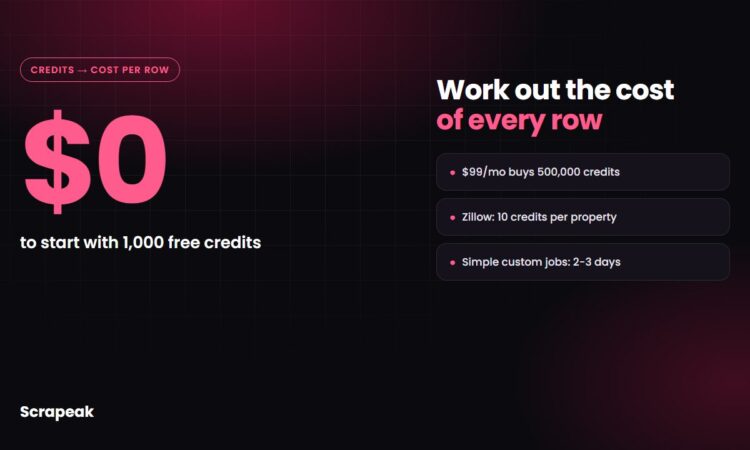
- Starter: $0 a month, 1,000 credits
- Professional: $99 a month, 500,000 credits
- Start up: $249 a month, 1,500,000 credits
- Business: $449 a month, 5,000,000 credits
Credit costs depend on the scraper. The Zillow scraper uses 10 credits per property, and a listing page (which usually holds general details for about 40 properties) also costs 10 credits. The Google Maps scraper uses 10 credits per search. People search uses 100 credits per search.
So on the $99 plan, 500,000 credits buys you 50,000 full Zillow property records. That’s about 0.2 cents a property, or roughly $2 per 1,000 rows. The same plan covers 5,000 people searches at about 2 cents each.
The free 1,000 credits get you 100 Zillow properties or 10 people searches. That’s enough to check whether the fields match what your spreadsheet needs before you spend anything.
One thing to watch with any API, ours included: you pay for requests, but you only get value from usable rows. If a provider bills you for failed or blocked requests, your real cost per good row can be much higher than the plan suggests. Ask how failures are billed before you pick one.
What moves the price of a custom scraper
When no ready-made scraper covers your site, the price comes from a quote. Two quotes for “scrape this website” can be far apart, and the gap almost always comes from these five things.
The first is how hard the site is to scrape. A plain HTML directory with page numbers in the URL is quick to build. A site that renders everything with JavaScript, sits behind a login, or uses bot protection and CAPTCHAs needs headless browsers and proxies, which cost more to run on every page.
Then volume. 300 product pages and 3 million product pages are different projects. Big crawls need more servers, more proxy bandwidth and a slower, polite crawl rate that respects the site’s robots.txt rules, so the job takes longer.
Frequency matters just as much. A one-time export is a single job. A daily data feed needs scheduling, retries, monitoring and someone who responds when a run comes back half empty. On a monthly bill, this is often the biggest multiplier.
Fields and cleaning come fourth. Pulling name, price and URL is easy. Pulling 60 fields, splitting addresses, normalizing dates and removing duplicates across sources is where the hours go.
Last is delivery. A CSV by email costs almost nothing extra. A JSON API, an AWS S3 bucket or a Google Sheet that updates itself takes a little more setup, though most providers (we’re one of them) include common delivery options.
At Scrapeak, simple custom projects are usually delivered in 2 to 3 days. There are bulk discounts when you need several sites or scheduled runs, and we’ll sign an NDA if the project is sensitive.
The hidden costs of scraping it yourself
The first version of a scraper is cheap. Loading a page, extracting a few fields and saving a CSV is a few days of work for a capable developer. Running it for a year is the expensive part.
Developer time is the biggest line. The U.S. Bureau of Labor Statistics puts the median annual wage for software developers at $133,080 (May 2024). Over a 2,080-hour work year, that’s about $64 an hour before benefits and overhead. A scraper that needs four hours of fixing a month costs around $256 a month in salary alone, for one site.
Then add the parts people forget to budget:
- Proxies, once the site starts blocking your server’s IP address
- Headless browsers for JavaScript-heavy pages, which use much more server power than plain requests
- Monitoring that catches a run returning 200 rows instead of 2,000
- Cleaning work every time the site changes a date format or adds a new field
None of these is large on its own. Together they turn a weekend project into a small permanent job. We wrote a full breakdown of this in web scraping service vs in-house, if you’re weighing the two.
Three example scraping budgets
These are illustrative scenarios, worked out with our published prices, so you can see how the numbers play out.
An investor tracking 2,000 Zillow listings a month
2,000 property records at 10 credits each is 20,000 credits. The free tier is too small, and the $99 Professional plan covers it many times over. If you only need price, beds, baths and address, scraping listing pages instead of full property pages cuts the credits sharply, since one listing page holds about 40 properties.
An agency building lead lists from Google Maps
Say the agency runs 3,000 searches a month across cities and niches. At 10 credits per search, that’s 30,000 credits, which also fits inside the $99 plan. The bigger cost here is usually the time spent qualifying leads afterwards. Our guide to Google Maps leads covers that part.
An online store watching five competitor sites daily
No ready-made API covers five random stores, so this is a custom scraper. The quote depends on how each site behaves: two might be simple, one might need a headless browser, and one might block hard. Five sites on a daily schedule usually qualifies for a bulk discount, and the price includes fixing a scraper when a store redesigns its product pages.
Not sure which bucket you’re in? Send us the site and the fields you need, and we’ll tell you whether a ready-made scraper covers it or quote a custom one. Get a scraping quote
How to get an accurate scraping quote
Vague requests get padded quotes, because the provider has to price in the unknowns. A short brief gets you a tighter number and a faster answer. Send these six things:
- Two or three example URLs of the exact pages you want scraped
- The fields you need, as column names (for example: product_name, price, sku, in_stock)
- Roughly how many pages or rows, even a rough guess like “about 10,000 products”
- How often you need fresh data: once, daily, weekly or hourly
- Your delivery format: CSV, JSON, Google Sheets, an API or a cloud bucket like S3
- When you need the first file
If you can, add what the data is for. “We compare prices every Monday morning” tells a scraping team which fields matter and how fresh the data has to be.
Ways to lower your scraping bill
Most savings come from scraping less.
Scrape list pages when they carry the fields you need, and only open detail pages for the rows you care about. Run incremental scrapes that only pick up new or changed items instead of re-collecting everything. Drop fields nobody uses. And match the schedule to real decisions: if your team reviews prices weekly, a daily feed is paying for six reports nobody reads.
For a tiny job, you might not need a scraper at all. Google Sheets has a built-in IMPORTXML function that pulls data from simple public pages. It breaks on JavaScript sites and big volumes, but for 20 rows from one page it costs nothing.
For bigger jobs, start with the free credits in our scraper store, check the output, and only then pick a plan.
FAQ
How much does web scraping cost per page?
With a ready-made scraping API, a page can cost a fraction of a cent. On our $99 plan, a Zillow property record works out to about 0.2 cents. Custom scrapers are priced per project instead, and hard sites with bot protection cost more per page because they need proxies and headless browsers.
Is web scraping expensive?
For small and medium jobs on sites an API already covers, no. Many projects fit in a plan under $100 a month. It gets expensive when you scrape many difficult sites on a frequent schedule, or when you build it yourself and count the developer hours spent on repairs.
Can I scrape websites for free?
Yes, within limits. You can write your own script, use Google Sheets’ IMPORTXML on simple pages, or use free trial credits (Scrapeak gives 1,000 credits with no credit card). Free options usually stop working at larger volumes or on sites that block bots.
Why do web scraping quotes vary so much?
Because “scrape this site” can mean 300 rows once or a million rows every day from a site that blocks bots. Site difficulty, volume, frequency, the number of fields and ongoing maintenance all change the price. Sending example URLs and a field list gets you comparable quotes.
Is it cheaper to hire a freelancer for web scraping?
For a one-time export, often yes. For data you need every week, compare the total cost over a year, including who fixes the scraper when the site changes and what that costs each time.
Get a real number for your project. Test a ready-made scraper with 1,000 free credits, or tell us which site you need and we’ll quote a custom scraper we build and maintain for you.
Try it free with 1,000 credits or request a custom scraper quote