

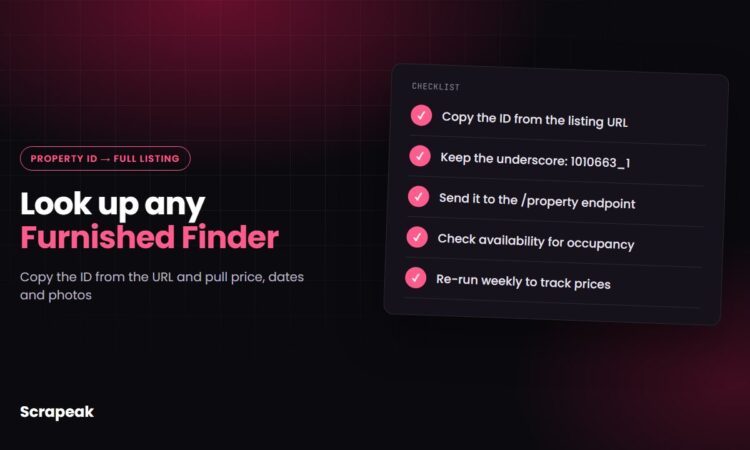
Someone sent you a Furnished Finder property ID, or you’re building a list of competitor units to watch, and you need to know what the ID is and how to search by it. Every listing on Furnished Finder has one, and it’s the last part of the listing URL:
https://www.furnishedfinder.com/property/1010663_1The property ID here is 1010663_1. Once you have it, you can open the listing directly, or pull its price, dates and photos with our Furnished Finder Scraper. The free plan’s 1,000 credits cover 50 lookups.
What the two parts of a Furnished Finder property ID mean
The number before the underscore identifies the property, and the number after it identifies the unit. A landlord with several units in one building gets one property number and a different suffix for each unit, so 1010663_1, 1010663_3 and 1010663_7 are three units of the same property.
Always keep the full ID with the underscore. 1010663 on its own does not point to a single listing.
How to search Furnished Finder by property ID
To open a listing from its ID, put the ID at the end of this URL:
https://www.furnishedfinder.com/property/{property-id}For 1010663_1 that is https://www.furnishedfinder.com/property/1010663_1. If the page doesn’t load, the landlord removed the listing or the ID was copied wrong.
That’s fine for three IDs. For 300, opening tabs one by one turns into an afternoon, and that’s where scraping makes more sense.
Scraping listing data for many property IDs at once
Our scraper’s /property endpoint takes a property ID and returns the whole listing in one response: monthly price, fees, availability date, minimum stay, bedrooms and bathrooms, amenities, house rules, photos, coordinates, the property manager’s profile and the other units of the same property.
import requests

params = {"api_key": "YOUR-API-KEY", "id": "1010663_1"}
response = requests.get(
    "https://app.scrapeak.com/v1/scrapers/furnished_finder/property",
    params=params,
)
print(response.text)
The same ID works with the other property endpoints:
/availabilityOfPropertyreturns the booked periods on the listing’s calendar and the first free date, which you can use to estimate occupancy./photosreturns the listing photos./coordinatesreturns the property’s latitude and longitude.
Each request costs 20 credits, and failed requests, such as an ID that no longer exists, are not charged. The Furnished Finder Scraper docs list every endpoint with a sample response.
Tracking a list of Furnished Finder units? Send the property IDs to the API and get prices, availability and photos back as JSON. Try it free with 1,000 credits.
Getting property IDs for a whole city
If you don’t have IDs yet, start from a search. The /listing endpoint takes a city and state (for example Tampa, FL), a Furnished Finder search URL, or map coordinates, and returns every listing in the area in one response, not only the first page. Each result includes its id, which you then pass to /property for the full details.
The move-in date and budget filters narrow the results. To get every listing in the area, leave out moveInDate or set postFilter to False.
Common problems when scraping by property ID
Most failed lookups come from the ID itself. Spreadsheets love to turn 1010663_1 into a number or drop the part after the underscore, so store the column as text. An ID that worked last month can also stop working when the landlord takes the listing down. The API then returns “Property not found” and doesn’t charge for the request, so you can flag those rows as removed instead of retrying them.
Searches have their own limit. A coordinate search returns up to 10,000 listings, which you only hit in big metro areas. If you do, raise the zoom level and scrape the area in smaller pieces, then remove duplicate IDs before you look up the details.
Using Furnished Finder property IDs to track a market
The property ID is the key that makes tracking work. Prices change, titles get edited and photos get swapped, but the ID stays with the listing, so you can scrape the same units every week and compare.
A simple routine for a mid-term rental investor watching one city:
- Run
/listingfor the city once to collect the property IDs. - Keep the IDs in a spreadsheet, one row per unit.
- Every Monday, call
/propertyand/availabilityOfPropertyfor each ID and write the price and the next free date next to last week’s values. - Run
/listingagain once a month to catch new units.
For 200 units that’s 400 requests a week, or 8,000 credits. If you’d rather not run the script yourself, we can set it up as a scheduled data feed delivered to Google Sheets, email or S3. Tell us what you need.
Furnished Finder property ID FAQ
Why do I get “Property not found”?
The listing was removed from Furnished Finder, or the ID is not in the 1010663_1 format. Check that the underscore and unit number are there. Failed requests are not charged.
Is the Furnished Finder property ID the same as the landlord ID?
No. The property ID points to one listing. Search results also include a separate landlordId for the landlord behind it.
Can I get the occupancy of a Furnished Finder property?
Yes. The /availabilityOfProperty endpoint returns the booked periods on the listing’s calendar and the first free date, which you can use to estimate occupancy.
How do I scrape all property IDs in a city?
Send the city and state, a Furnished Finder search URL or map coordinates to the /listing endpoint. It returns every listing in the area in one response, each with its id.
Look up any Furnished Finder listing by its property ID. Start free with 1,000 credits, or see the pricing plans for larger lists.