

Most healthcare sales and recruiting teams hit the same wall: the physician list they bought is expensive, a year old, or both. Before buying another one, it helps to know where that data comes from. Much of it sits on public healthcare professional data sources that anyone can read, and a few of them come with a free bulk download.
Below are the ten we’d check first, what each one gives you, and how to get the data out of the website and into a spreadsheet. Some have clean APIs. Others are search pages that only a scraper can turn into rows.
If you already know what you need, send us the specialties and states and we’ll put together a free sample file.
10 healthcare professional data sources and how to pull each one
1. The NPPES NPI Registry
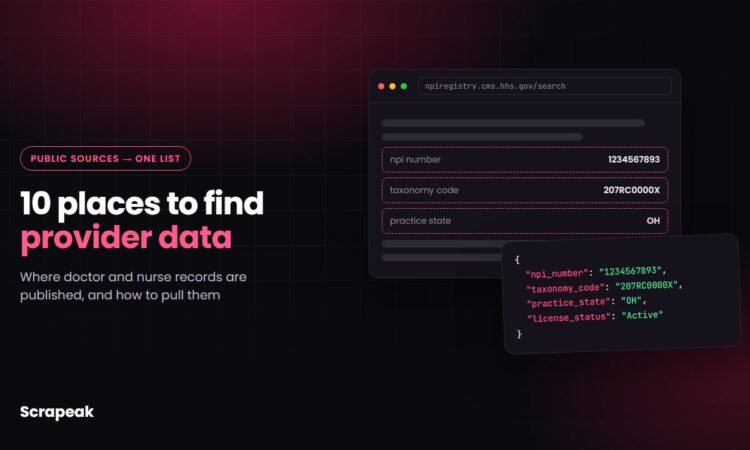
This is where almost every US provider list starts. Every individual and organization that bills US health plans has a 10-digit National Provider Identifier, and CMS publishes the registry. Each record has name, credential, practice and mailing address, phone, taxonomy (specialty) codes, state license numbers and the date the NPI was issued.
There are two ways to get it. The NPI Registry API is fine for lookups, but it returns at most 200 records per request and developers report that paging stops at around 1,200 results per search, so pulling every cardiologist in Texas means splitting the query by city or ZIP. For bulk work, use the NPPES downloadable files: a full replacement file every month plus weekly files with that week’s changes. The monthly zip is about 1 GB and the CSV inside is far bigger, so Excel won’t open it. We parse it, filter to the taxonomy codes and states you care about, and apply the weekly files so the list stays current.
2. The Medicare Care Compare clinician file
CMS also publishes the national downloadable file behind its Care Compare site, covering clinicians enrolled in Medicare. It adds fields NPPES doesn’t have: medical school, graduation year, group practice name and hospital affiliations. Each row is one clinician at one group and address, so a busy doctor can appear five times. It’s a CSV on data.cms.gov, so extraction is easy. The work is joining it to NPPES on the NPI and collapsing the duplicates.
3. State licensing boards
Medical, nursing, pharmacy and dental boards in every state publish license lookups with license number, status, issue and expiration dates, and sometimes disciplinary actions. They answer the question NPPES can’t: is this person licensed in this state right now?
The problem is volume. There are hundreds of boards and each one has its own search page. A few offer bulk files (California’s medical board has a free downloadable database), most don’t, and some put a CAPTCHA in front of the search. This is classic scraper work: one small scraper per board, run on a schedule, with every board’s output mapped to the same set of fields.
4. Hospital and health system “find a doctor” pages
Hospital websites list their physicians with department, specialty, clinic locations, languages, accepted insurance and sometimes whether they take new patients. For a device rep, the department and clinic address are often worth more than anything in a federal file. These directories are usually JavaScript search apps. A scraper can drive a headless browser through them, but it’s faster and more stable to call the JSON endpoint the page itself loads its results from.
5. Health plan provider directories
Insurers publish who is in their network, by specialty and location. Under CMS’s interoperability rule, Medicare Advantage and Medicaid plans have to expose their directories through a public Provider Directory API, so part of this data can be pulled without scraping. Commercial plan directories are still mostly search pages. Network data helps when you need to know which practices in a market accept which plans.
6. ClinicalTrials.gov
Every registered study lists its locations, and many name a site contact or principal investigator, along with conditions, phase, status and sponsor. CROs use it to find sites with past trials in a therapy area, and recruiters use it to find physicians who do research. ClinicalTrials.gov has a public API, so the extraction itself is simple. Cleaning takes longer, because investigator and facility names are typed by hand and spelled several ways.
7. PubMed author affiliations
PubMed records include author names and, for most recent papers, affiliations: department, institution and city. For academic hiring in a narrow field, a search like “pediatric cardiac surgery” limited to the last five years shows who is publishing and where they work. NCBI’s E-utilities return the records as XML. Affiliations are free text, so most of the scraper’s effort goes into parsing “Dept. of Surgery, Univ. of X, Columbus, OH” into separate columns. If you’re starting from a list of papers, our DOI scraper guide covers that side.
8. Medicare utilization data
The Medicare Physician & Other Practitioners datasets on data.cms.gov show, per NPI, which services a provider billed to Medicare and how often, by HCPCS code. For a device company, this is how you find the surgeons who perform the procedure your product is used in, out of everyone with the right specialty code. The files are free to download, but they describe past years and hide rows with very small counts, so use them to filter your list and get current contact details elsewhere.
9. The OIG exclusion list
The HHS Office of Inspector General publishes the List of Excluded Individuals/Entities (LEIE), the people and companies barred from federal health programs. It’s a CSV that OIG replaces every month. You won’t build a lead list from it, but every list should be checked against it before outreach or hiring. Match on NPI where the record has one, and on name plus address where it doesn’t.
10. Specialty society directories
Many specialty societies run a public “find a specialist” search for patients, listing members by location and subspecialty. They’re handy for subspecialties that taxonomy codes lump together. Coverage varies, and some societies’ terms forbid commercial reuse, so read the terms before anyone scrapes them.
How to combine the sources into one provider dataset
Each source helps on its own, but the joined dataset is what sales and recruiting teams actually work from. The NPI is the shared key that makes the join possible. A typical build:
- Start with NPPES, filtered by taxonomy code and state. That’s the master list.
- Join the Care Compare file on NPI for hospital affiliations and group names.
- Scrape the hospital directories for department and clinic details, then match them back to an NPI by name, credential and address.
- Add license status from the boards in the states you sell or hire in.
- Flag anyone who appears on the LEIE.
- Deduplicate, standardize addresses and phone numbers, and export.
Step 3 is where most in-house projects stall. Hospital pages rarely show the NPI, so matching needs fuzzy name logic and a review queue for the doubtful cases. We add a match_confidence column to the output, so your team can see which rows matched exactly and which were inferred.
Here’s what a finished file usually contains:
| Field | Typical source |
|---|---|
| npi, full_name, credential | NPPES |
| taxonomy_code, specialty | NPPES |
| practice_address, phone | NPPES, hospital directory |
| hospital_affiliation, group_name | Care Compare file |
| department, clinic_location | Hospital “find a doctor” pages |
| license_state, license_status, expires | State licensing boards |
| trial_count, last_trial_year | ClinicalTrials.gov |
| excluded_flag | OIG LEIE |
| source_url, last_checked | Added by the scraper |
What breaks when you scrape provider data
The NPPES file is too big for a spreadsheet. Filter it before anyone opens it, or load it into a database. We deliver only the rows you asked for, as CSV or JSON.
Search pages cap their results. The NPI API stops paging, and many hospital directories show only the first 50 or 100 matches for a broad search. The scraper has to split each search into smaller ones (by ZIP, specialty or letter) until every page fits under the cap.
Some directories use bot protection. We crawl at a polite rate, use a real browser where the site needs one, and stay away from anything behind a login.
Sites change without warning. A licensing board redesigns its search page and the scraper quietly returns zero rows. We watch row counts on every run and fix the scraper when a count drops, so you don’t find out from an empty file.
People move. Around a new job or a new practice, a provider’s address can be wrong in one source for months. A monthly refresh, plus the weekly NPPES changes, keeps the list close to current.
Need this for a few states and specialties? Tell us which sources and fields matter to you, and we’ll scrape a free sample before you pay anything. Request your sample.
Privacy and site terms
Everything above is public data about professionals in their working role. None of it is patient health information, which is what HIPAA protects, and we don’t collect anything behind a login. Two cautions still apply. Site terms differ, and some directories forbid commercial reuse. If you add European sources, such as a national medical register or a German hospital site, GDPR applies to personal data even when it’s published, so you need a lawful basis and a clear purpose. Our GDPR page explains how we handle it. This isn’t legal advice; for your specific use, check with a lawyer.
How Scrapeak builds your provider list
You tell us the specialties, states and fields. We pick the sources, write and run the scrapers, join and clean the data, and send a sample before you commit. Simple projects are usually ready in 2-3 days. The data arrives where your team already works: CSV, JSON or XML files by email, Google Drive, Dropbox, S3 or SFTP, or through an API, on a daily, weekly or custom schedule. If your events team also follows congress programs, the same setup can deliver medical conference data. Cost depends on how many sources you need and how often they refresh; see pricing for how we quote.
Frequently asked questions
Is NPI data public?
Yes. CMS publishes the NPPES registry and anyone can search it or download the full file for free. It covers professional details like practice address, phone, specialty codes and license numbers, not personal health information.
What is the best source of physician data in the US?
For coverage, the NPPES NPI file, because nearly every provider who bills a US health plan has an NPI. For accuracy on things like department, hospital affiliation or license status, you need to add the Care Compare file, hospital directories and state boards.
Is it legal to scrape healthcare provider directories?
Collecting publicly posted professional data is common, but whether a specific scrape is allowed depends on the site’s terms and your jurisdiction. Skip anything behind a login, respect terms that forbid reuse, and get legal advice for your use case.
How often is NPI data updated?
CMS posts a full replacement file every month and smaller weekly files with that week’s changes. Apply the weekly files on top of the latest monthly file to stay current.
Does the NPI registry include email addresses?
No, NPPES doesn’t list regular email addresses. It has practice and mailing addresses and phone numbers. Practice and hospital websites sometimes publish a general contact email.
Get your provider list as a clean file. Pick the specialties, states and sources, and we’ll build the scrapers and send a free sample. Start here, or try Scrapeak free with 1,000 credits.