

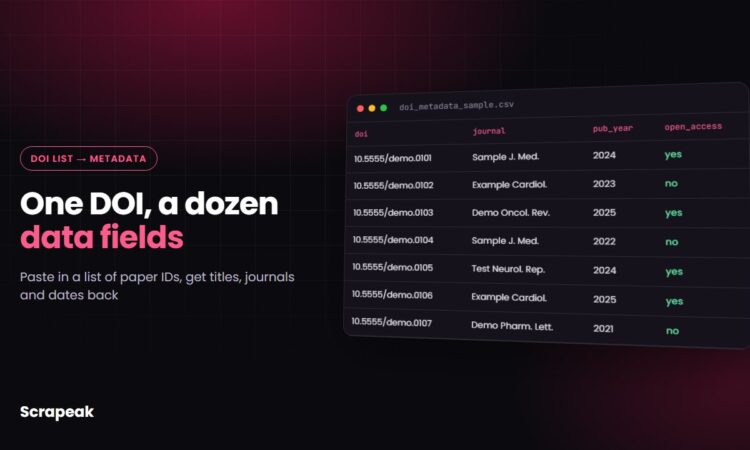
Someone hands you a spreadsheet with 4,000 DOIs and asks for the title, journal, authors and abstract next to each one. Maybe it’s a reference list, a funder report or the export from a literature search. If you’ve ever wondered what a DOI actually is and how much data hides behind it, this is the short version, followed by the practical part: how to get that data out for a whole list without copy-paste.
The answer to “what is a DOI” fits in two sentences. The part that takes time is collecting the data, because it sits in three different places and none of them has all of it.
What is a DOI, in plain terms
A DOI (Digital Object Identifier) is a permanent ID for a published thing, usually a journal article, but also datasets, book chapters, reports and conference papers. It looks like 10.1038/nature12373. The part before the slash is the prefix and identifies the organization that registered it. The part after the slash is the suffix, which that organization picks.
The point of a DOI is that it doesn’t break. Publishers move papers to new websites all the time, and a normal URL dies when that happens. A DOI stays the same, and its record is updated to point to the new address. Put https://doi.org/ in front of any DOI and the resolver sends you to wherever the paper lives today. The system is run by the DOI Foundation and standardized as ISO 26324.
DOIs are issued through registration agencies. For research content you’ll mostly meet two: Crossref, which covers most journal articles, and DataCite, which covers datasets and other research outputs. There are others for regional and specialist content, such as mEDRA in Europe and JaLC in Japan; the DOI Foundation keeps the current list of registration agencies. This matters later, because each agency stores metadata in its own format.
Not every paper has one. Most articles from the last twenty years do, many older ones were given DOIs later, and plenty of conference material and reports never got one.
What data you can get from a DOI, and where it comes from
A DOI gives you access to three sources of data, and a good extraction job usually pulls from all three.
The first is registry metadata. When a publisher registers a DOI, it sends a metadata record to the agency. You can fetch that record through the Crossref REST API (api.crossref.org/works/ followed by the DOI) and get JSON back. You can also ask doi.org itself for the record in a format like BibTeX or CSL JSON through content negotiation, which works the same way for Crossref and DataCite DOIs. Both are free.
The second is the publisher’s landing page. The page doi.org sends you to often shows more than the registry has: the full abstract, author affiliations, keywords, the PDF link and the open access license. Most publishers also put machine-readable tags in the page code, like citation_title, citation_author and citation_pdf_url, which make extraction easier.
The third is an index such as PubMed. For biomedical papers, PubMed adds MeSH terms and its own abstract copy, matched by DOI or PMID.
Here’s what each source usually gives you:
| Field | Registry (Crossref / DataCite) | Landing page or PubMed |
|---|---|---|
| title, journal, volume, issue, pages | Almost always | Yes |
| publication date | Yes (print and online dates) | Yes |
| author names | Usually | Yes |
| author affiliations | Often empty | Usually shown |
| abstract | Only if the publisher sent it | Shown when it’s public |
| references, citation count | Often (Crossref counts only) | Varies by publisher |
| license, open access status | Sometimes | Usually shown |
| keywords, MeSH terms | Rarely | PubMed for MeSH |
A real example: when we checked the Crossref record for 10.1038/nature12373 (a 2013 Nature paper on thermometry in living cells) in November 2026, it had the title, journal, volume, pages, all eight authors, the reference list and a citation count. The abstract field was missing and every author’s affiliation list was empty. Both are on the publisher’s page. That gap is normal, and it’s why registry data alone rarely satisfies whoever asked for the spreadsheet.
If you already know you need this for a list, send us a sample of your DOIs and we’ll show you which fields we can fill.
Getting DOI data for one paper vs. thousands
For one paper, paste the DOI into doi.org and read the page. For twenty, a reference manager will pull the basics. Past a few hundred, you need a script or a scraper, and the work changes shape.
The registry part is the easy half. A script reads your DOI column, calls the Crossref API for each one, falls back to DataCite when Crossref doesn’t know the DOI, and writes the fields to a CSV. Crossref asks heavy users to include a contact email in their requests and keep the request rate polite, and content negotiation returns one record per request, so a 50,000-DOI list takes hours to run.
The landing pages are the hard half. Every publisher builds its pages differently, so filling in abstracts and affiliations means a parser per publisher, or at least per platform. Some publisher sites throttle automated traffic or show bot checks, which means pacing requests and retrying failures. And the scraper has to stop at the paywall: we only collect what the page shows publicly, and we respect the publisher’s terms.
Then everything gets merged on the DOI, so each paper ends up as one row with the best value for each field and a note of which source it came from.
Problems that show up when you scrape DOI lists at scale
Most of the effort in a DOI project goes into cleaning up the input. These are the problems we plan for every time.
- Dirty DOIs. The same DOI arrives as “doi:10.1038/…”, “https://dx.doi.org/10.1038/…” or with a trailing period copied from a citation. Before anything is extracted, every value is cleaned down to the bare 10.xxxx/… form and lowercased (DOIs aren’t case sensitive).
- Duplicates and versions. A preprint and the published article usually have different DOIs. Crossref records often link them, so the list can be deduplicated or kept as pairs, whichever you need.
- DOIs with no metadata. Some resolve to a landing page but return nothing from the registry, and a few don’t resolve at all. Those go into a separate tab with the reason, so nothing silently disappears.
- Rows without a DOI. If half your list is paper titles, the DOIs have to be found first by searching Crossref by title, author and year, then checking each match, because similar titles match the wrong paper more often than you’d think.
- Site changes. Publishers redesign pages, which breaks parsers. For a one-off list that doesn’t matter; for a scheduled feed, someone has to notice and fix it.
Who needs DOI data in bulk
The usual buyers are libraries checking what their researchers published, systematic review teams screening thousands of papers, university and funder analytics teams tracking open access status, publishers auditing their own records, and healthcare data teams building a literature dataset on one disease area. Each of them starts with a column of identifiers and needs a table of paper metadata they can sort and filter.
If your list includes papers by European authors, keep in mind that author names and affiliations count as personal data under GDPR, even when they’re printed on a public page. We only collect published bibliographic metadata, and you should check your own use with your legal team. No patient data is ever involved.
How Scrapeak turns a DOI list into a dataset
You send the list (DOIs, titles, or a mix) and tell us which fields you need. We clean the identifiers, find missing DOIs, pull registry metadata from Crossref and DataCite, scrape the public landing pages to fill abstracts, affiliations and license data, and add PubMed fields where they apply. You get one row per paper, with a column showing which source each value came from, so your team can check any value.
Delivery is CSV, JSON, JSONLines or XML, by email, Google Drive, Dropbox, AWS S3, FTP or API. If new DOIs keep arriving (a monthly publication report, a living review), we can run the scraper on a daily, weekly or custom schedule and send only the new rows. Simple projects are delivered in 2-3 days, and an NDA is available if your list is confidential.
Our DOI scraper guide goes deeper into the fields and build steps, and if your papers come from congress programs rather than journals, the medical conference data post covers that side.
Have a list of DOIs waiting? Send us 50 of them and we’ll return a free sample file with every field we can fill, so you can see the gaps before you pay anything. Request your sample.
DOI FAQ
Is a DOI the same as a URL?
No. A DOI is an identifier, and a URL is a web address. You can turn a DOI into a link by putting https://doi.org/ in front of it, and that link keeps working when the publisher moves the paper, because the DOI record is updated to point at the new address.
Does every article have a DOI?
No. Most journal articles from the last twenty years have one, and many older papers were given DOIs later, but some journals, reports, conference materials and older papers never got one. If a search on Crossref by title, author and journal finds nothing, the paper probably has no DOI.
How do I find the DOI of an article?
Look on the first page of the PDF or on the article’s web page, usually near the publication date or the citation details. For a long list of titles, searching the Crossref API by title and author finds most DOIs automatically, but each match should be checked because similar titles can match the wrong paper.
Can you get the abstract from a DOI?
Sometimes. Registry records include an abstract only when the publisher sent one, and many records leave it out. When the abstract is shown publicly on the publisher’s landing page, a scraper can collect it from there. Abstracts behind a paywall or login are off limits.
Are DOIs case sensitive?
No. DOI names are not case sensitive, so 10.1038/NATURE12373 and 10.1038/nature12373 point to the same paper. It still helps to lowercase them before you remove duplicates from a list.
Turn your DOI list into a clean spreadsheet. Titles, journals, dates, authors, abstracts where they’re public, and open access status, delivered as CSV or JSON in a few days. Get a quote and free sample, see pricing, or try Scrapeak free with 1,000 credits.