

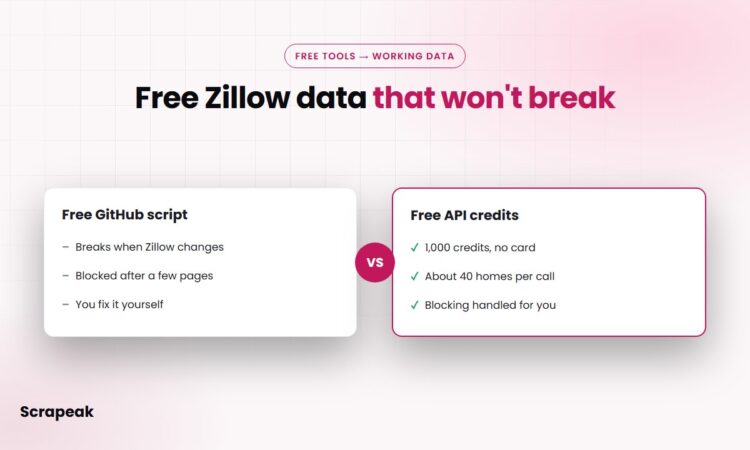
You need Zillow listings in a spreadsheet, you don’t want to pay yet, and a search for a free Zillow scraper turned up GitHub repos, Chrome extensions and a dozen “free trial” APIs. Each one is free in its own way. A script costs you time, an extension tops out at a few hundred rows, and almost anything can stop working the week Zillow changes its pages.
We build and run Zillow scrapers every day, so here is an honest look at each option, where it breaks, and which one fits a 50-home project versus a weekly feed for a whole metro.
If you just want to see real Zillow data in five minutes, our Zillow Scraper comes with 1,000 free credits and no credit card.
Free Zillow scraper options compared
Short version: an extension is enough for a small one-off job, free API credits make more sense once you need volume or detail pages, and a script suits people who like fixing code.
| GitHub script | Chrome extension | Scraping API free credits | |
|---|---|---|---|
| Money | $0, plus proxies once you scale | $0 on the free plan | $0 until the credits run out |
| Setup | Python, an hour or more | A few minutes | A few minutes |
| Coding needed | Yes | No | No for the web app, a little for the API |
| Where it usually breaks | 403 blocks, Zillow page changes | Volume, manual paging | When you need more data than the credits cover |
| Property detail pages | Often blocked | One page at a time | Yes |
| Scheduling | You set it up | Rarely | Built in on paid plans |
| Who fixes it | You | The extension author | The provider |
GitHub Zillow scrapers: free code, your time
Search GitHub for “zillow scraper” and you get hundreds of repos. Most are Python scripts that request a Zillow search page, pull the listing data Zillow embeds in the page as JSON, and write a CSV with fields like zpid, price, beds, baths, livingArea and detailUrl.
When one works, it’s the most flexible free option. You own the code, you choose the fields, and you can run it on a schedule with cron or a cheap server.
The catch is that many of these repos haven’t been touched in a year or more, and Zillow changes its page structure and bot protection often. Before you clone one, check three things on the repo page:
- The date of the last commit. Anything older than a few months probably needs fixes.
- Open issues mentioning “403”, “blocked” or “empty results”. That’s other people telling you it’s broken.
- The license. Code with no license can’t be reused freely, as GitHub’s own docs explain.
Then expect blocking. While researching this post, a plain Python request to Zillow’s terms of use page came back with 403 Forbidden, and that’s a page with no listings on it. Search pages get blocked faster once you loop through them. The usual fixes are browser-like headers, slower requests and residential proxies, and proxies are where “free” starts costing money every month.
If you want to try it anyway, our Python guide to scraping Zillow data walks through a working approach.
Chrome extensions: fine for one search at a time
A Zillow scraper extension reads the listings you can see in your browser and exports them to CSV or Excel. There’s nothing to install beyond the extension, and because it runs in your own browser session, Zillow sees a normal visitor.
For a one-off job, say 60 homes in a single ZIP code for a weekend analysis, an extension is the easiest free route and we’d tell you to use one.
It gets painful as the list grows. You click through every results page yourself (or watch the extension do it slowly), detail pages come one at a time, and nothing runs while your laptop is closed. Free plans also tend to cap rows per export. And read the permissions before you install: an extension that can “read and change all your data on all websites” can see a lot more than Zillow.
Free credits on a Zillow scraper API
The third kind of free Zillow scraper is a hosted scraping API with a free tier. Someone else runs the servers, rotates the IPs and fixes the scraper when Zillow changes, and you get a set amount of data for free before you pay.
Here is how that works on ours. The Scrapeak Zillow Scraper has a few endpoints, each 10 credits per successful call:
/listingtakes a Zillow search URL and returns the properties on that page, usually about 40./propertytakes a URL or ZPID and returns hundreds of data points for one home, including price, beds, baths, Zestimate and listing status./zpidByAddressturns a street address into a ZPID, which helps when you start from your own address list. Our post on what a Zillow ZPID is covers this step.
The free plan’s 1,000 credits cover about 100 calls. Spent on listing pages, that’s up to roughly 4,000 homes with their summary fields. Spent on property records, it’s 100 homes with the full detail. You can use the web dashboard without code, or call the API and get JSON back. The API docs show every parameter and a sample response.
Skip the 403 errors. Paste a Zillow search URL and get the listings back as data, with blocking and page changes handled on our side. Try it free with 1,000 credits, no credit card required.
Where every free Zillow scraper runs into limits
Whichever free tool you pick, the same few problems decide how far it goes.
Blocking comes first. Zillow uses bot protection that returns 403 pages or challenges when traffic looks automated. One IP address sending hundreds of requests an hour will get stopped. Scripts hit this first, extensions much later, and APIs handle it for you.
Search depth is the next limit. Zillow stops paging after a certain number of results for one search, so a big city search won’t show every listing. The workaround is to split the area into smaller ZIP codes or price bands and scrape each one, which multiplies the number of requests.
Then there are detail pages. Search results give you the basics. Fields like price history, tax history, HOA fees and school ratings live on each property’s page, and those pages tend to be blocked harder. If your analysis needs them, budget one request per home.
Maintenance is the cost people forget. Zillow changes its page code every so often, and a script that worked in March can return empty files in May. Someone has to notice and fix it. With free code, that someone is you.
Finally, the rules. Zillow’s terms restrict automated access, and its robots.txt disallows many paths. Whether your use is allowed depends on those terms and the laws where you operate. This isn’t legal advice; if the data feeds a commercial product, talk to a lawyer.
Which free option should you pick?
Pick a Chrome extension if you need under a few hundred homes, once, and you don’t write code. It’s quick, and Zillow rarely blocks it.
Pick a GitHub script if you’re comfortable in Python, want to learn how Zillow pages are built, and don’t mind fixing things. It’s a good learning project. We wouldn’t build a business process on it.
Pick free API credits if you want to test real data at scale before you spend anything, need detail fields, or plan to automate a daily or weekly scrape later. When the free credits run out, the pricing page shows what more volume costs, and you keep the same setup.
And if Zillow is only one of several sites you need, or you want the data delivered to Google Sheets, S3 or your database on a schedule, a custom scraper is usually less work than stitching free tools together. Our post on using Zillow data to spot deals shows what people do with the data once it arrives.
Free Zillow scraper FAQ
Is there a free Zillow scraper?
Yes. Open-source scripts on GitHub and some Chrome extensions cost nothing, and scraping APIs often come with free credits. Scrapeak’s Zillow Scraper gives you 1,000 free credits with no credit card, which covers about 100 calls.
Can I scrape Zillow with Python for free?
You can. The code and libraries are free, and a short script will pull a few search pages. Once you send more requests, Zillow tends to answer with 403 errors, so larger runs usually need paid proxies or a scraping API.
Why does my Zillow scraper get a 403 error?
Zillow’s bot protection decided the request did not come from a normal visitor. A missing browser header, too many requests from one IP address or a data center IP can all trigger it. Fixing it means slowing down, rotating IPs or moving to a service that handles blocking for you.
Does Zillow allow web scraping?
Zillow’s terms of use restrict automated access, and its robots.txt disallows many paths. Whether scraping public listing data is allowed for your use depends on those terms and the laws where you operate, so ask a lawyer if you plan to use the data commercially.
How much Zillow data do 1,000 free credits get me?
On the Scrapeak Zillow Scraper each property, listing or address lookup call costs 10 credits, and only successful calls are charged. That’s about 100 calls: up to roughly 4,000 homes from listing pages, or 100 full property records.
Get Zillow data without maintaining a scraper. Start with 1,000 free credits on the Zillow Scraper, or tell us what you need and we’ll build and run a custom feed for you. Try it free or request a quote.